


Welcome to Avatoon.net’s Free Cartoon Avatar Maker!
Unleash your creativity with Avatoon.net’s 100% free cartoon avatar maker. No need to download any software; it works entirely in your browser. Whether you need a unique avatar for your social media accounts, YouTube channel, or any other online presence, Avatoon.net has you covered!
Why Use Avatoon.net’s Free Cartoon Avatar Maker?
Social media can be a powerful tool to connect with friends and family, but concerns about privacy and authenticity can make it unappealing. Avatoon.net’s cartoon avatars offer the perfect balance of presence and privacy, giving you a unique identity without exposing your actual photo. Beyond social media, your cartoon avatar can be used for comments on blogs, web forums like Reddit, or even as your Google profile picture.
How To Get Started with Avatoon.net’s Free Cartoon Avatar Creator
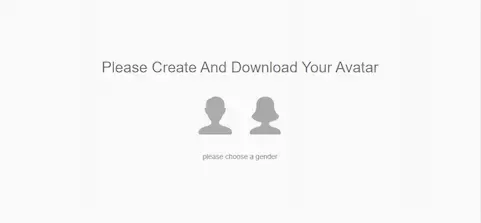
Select Your Gender
Begin by choosing your gender. Simply click on the male or female icon to start creating your avatar.

Initial Creation
After selecting the gender, you’ll see a default avatar. Use the RANDOM button to generate a variety of starting points. Keep hitting the RANDOM button until you find an avatar base that piques your interest. This is an excellent way to explore different styles quickly.


Customizing Your Avatar
If the random options don’t directly align with your vision, create your avatar from scratch. Click the RESET button to start fresh from the basic template. Customize every aspect of your avatar using the tabs at the top (face, eyes, hair, clothes, backs). Each tab offers specific elements you can modify:
- Face Tab: Change face shape, mouth, nose, and ears to get the perfect look.
- Eyes Tab: Tailor eye shape, color, size, and position.
- Hair Tab: Choose from various hairstyles and colors to match your real or desired look.
- Clothes Tab: Select outfits that reflect your style.
- Backs Tab: Choose backgrounds to give your avatar context and personality.


Control Your Customization Experience
- Modifiers: Each feature has size, position, and color modifiers under the avatar for infinite customization. Make your avatar truly unique.
- UNDO/REDO: These buttons allow you to experiment. If you make an error or change your mind, you can easily revert your changes.
- RESET: Returns your avatar to its default state, letting you start over if necessary.
How to Download Your Customized Cartoon Avatar
Once you’re satisfied with your creation, hit the DOWNLOAD button at the bottom right:
- PNG (200px): Perfect for most online uses with support for transparency.
- PNG (400px): A larger version with transparency, ideal for high-resolution needs.
- SVG: A vector file for infinite resizing without losing quality. Requires vector-image software like Adobe Illustrator for editing.
Maximize Your Avatar’s Impact
Enjoying your creation? Use the SHARE button to spread the word and let friends and colleagues try Avatoon.net. Share directly on Twitter, Facebook, Reddit, Pinterest, WhatsApp, and Telegram.
Gravatar Integration: Click the Gravatar button to use your new avatar across different websites and platforms that support Gravatar.
Advanced Tips for Using Avatoon.net’s Free Cartoon Avatar Maker
- Layering Techniques: Experiment with layering to achieve custom effects like combining different hairstyles and accessories.
- Thematic Avatars: Create avatars for seasonal events, holidays, or special occasions by exploring different combinations of features.
Ways to Use Your Cartoon Avatar Across the Web
- Online Gaming: Many profiles allow custom avatars—design one to represent your gaming persona.
- Professional Profiles: Use for business networking sites or company intranets.
- Content Creation: Leverage avatars for video thumbnails, blog post illustrations, or creative projects.
Interactive and Educational Uses
- Interactive Learning: Teachers can personalize student profiles or class projects to make online learning more engaging.
- Community Building: Use avatars in online forums and groups to promote group identity and camaraderie.
Marketing and Branding
Businesses can design unique avatars for customer support profiles or brand ambassadors, making interactions feel more personalized and friendly.
User Testimonials and Success Stories
Our users love the versatility and fun of our free cartoon avatar creator. Here’s what they say:
- “My YouTube channel’s new look is a hit!” – Jen, YouTuber
- “My LinkedIn profile stands out thanks to Avatoon.net.” – Alex, Marketing Professional
- “My students love their avatars for online classes.” – Mrs. Phillips, Educator
By using Avatoon.net’s cartoon avatar maker, you join a community that appreciates creativity, privacy, and fun. Whether for personal or professional use, our platform offers limitless possibilities to express yourself.
